Calendars serve as the backbone of human organization, bridging historical traditions with modern efficiency across cultures and industries. From ancient astronomical observations to digital time-management systems, their evolution reflects humanity’s relentless pursuit of precision in scheduling, celebration, and productivity. This guide dissects the mechanics of global calendar systems, their cultural significance, and practical applications—offering a structured approach to designing, customizing, and leveraging calendars for both personal and professional domains.
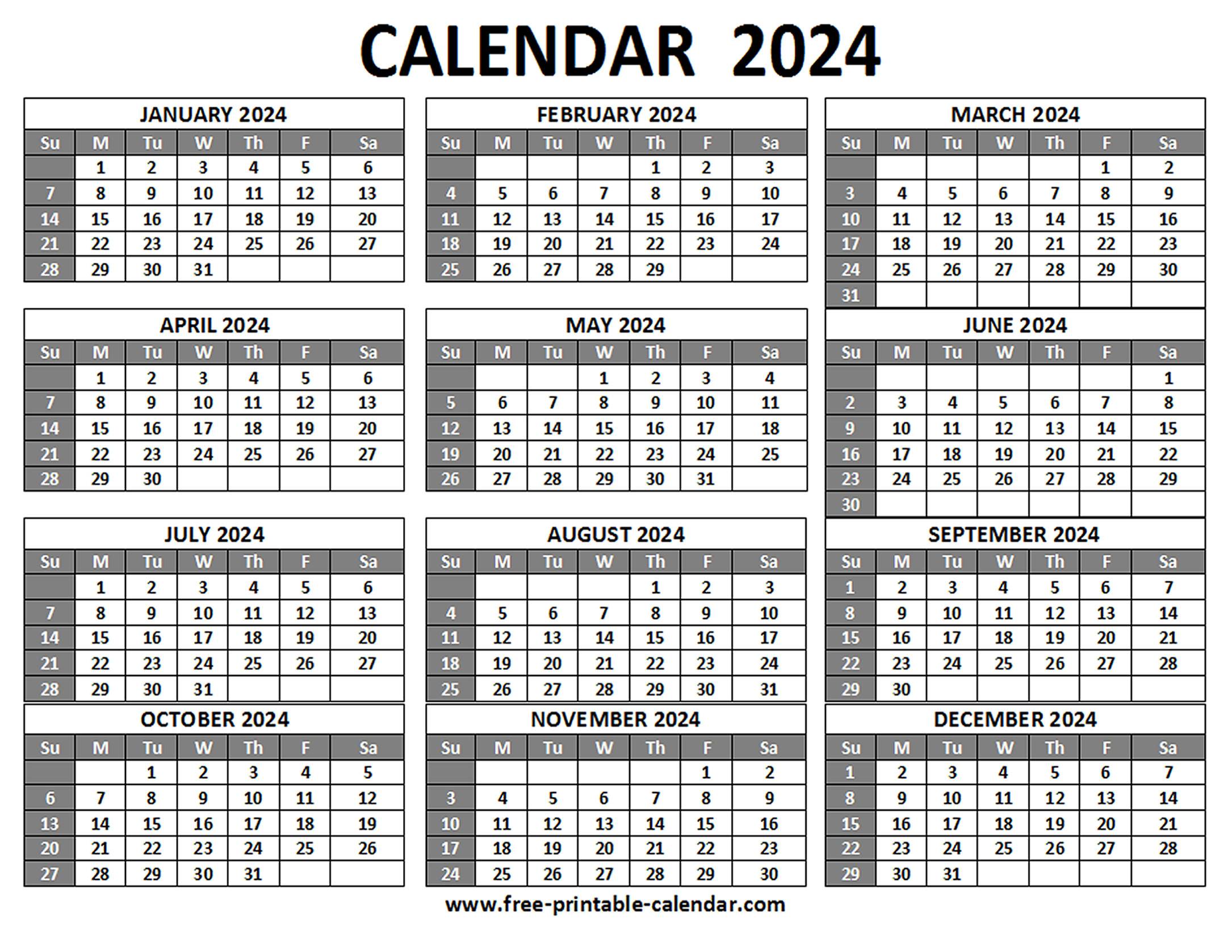
The interplay between timekeeping methods—whether solar, lunar, or algorithmic—shapes societal rhythms, economic cycles, and technological advancements. By examining leap-year calculations, modular calendar design, and cross-platform synchronization, we uncover how these tools adapt to diverse needs, from religious observances to corporate deadlines. Whether optimizing productivity through time-blocking or exploring creative calendar art, this resource equips users with actionable insights to harness temporal frameworks effectively.
Origins and Evolution of Major Calendar Systems
Calendar systems have evolved alongside human civilization, serving as frameworks to measure time, organize societal activities, and align with astronomical cycles. From ancient agricultural societies to modern global economies, calendars reflect cultural priorities, religious observances, and scientific advancements. The development of these systems—whether solar, lunar, or lunisolar—was driven by the need to harmonize timekeeping with celestial phenomena, such as the sun’s position, moon phases, or Earth’s orbital mechanics. Below, the historical trajectories of six foundational calendars are examined, highlighting their astronomical foundations, societal adaptations, and enduring legacies.
Gregorian Calendar: Solar Precision and Global Standardization
The Gregorian calendar, introduced in 1582 by Pope Gregory XIII, represents the culmination of solar-based timekeeping refined over millennia. Its development addressed inaccuracies in the Julian calendar, which overestimated the solar year by approximately 11 minutes annually, causing drift in equinox dates critical for Easter calculations. The reform replaced the Julian calendar’s 365.25-day year with a 365.2425-day cycle by:
Skipping 10 days in October 1582 to realign with the vernal equinox.
Adjusting leap years: Centennial years (e.g., 1900) are non-leap unless divisible by 400 (e.g., 2000).
Maintaining 12 months of 28–31 days, with February reduced to 28 days in common years.
The Gregorian system’s adoption varied globally: Catholic countries implemented it immediately, while Protestant nations delayed until the 18th–19th centuries, and Orthodox Christianity resisted until the 20th century. Today, it dominates civil use, though its astronomical precision (error of ~1 day per 3,200 years) ensures long-term viability.
Leap Year Calculation (Gregorian):
A year is a leap year if divisible by 4, but not by 100 unless also divisible by 400. Example: 2000 (leap) vs. 1900 (non-leap).
Julian Calendar: The Roman Legacy and Astronomical Foundations
Introduced by Julius Caesar in 45 BCE, the Julian calendar standardized timekeeping across the Roman Empire by adopting the Egyptian solar year of 365.25 days. Its key innovations included:
Fixed leap day: February 29 added every 4 years.
12-month structure: Borrowed from the Roman Republican calendar but with adjusted lengths (e.g., July and August named after Caesar and Augustus).
While accurate for its time, the Julian calendar’s overestimation of the tropical year (365.25 vs. 365.2422 days) caused the equinox to drift by ~10 days by the 16th century. This discrepancy prompted the Gregorian reform, though the Julian system persists in Orthodox Christian liturgical calendars (e.g., Easter dates differ by ~13 days).
Islamic Calendar: Lunar Precision and Religious Synchronization
The Hijri calendar, established in 622 CE, is a purely lunar system where months align with the moon’s synodic cycle (~29.53059 days). Its 12 months total 354 or 355 days annually, creating a 10–11-day annual drift against the solar year. Key features include:
No leap seconds or months: Months begin with the sighting of the crescent moon, leading to regional variations.
Religious significance: Dates mark Islamic holidays (e.g., Ramadan, Hajj) and life events (e.g., Prophet Muhammad’s migration).
The lunar calendar’s rigidity contrasts with solar systems, requiring annual adjustments to align with seasons. For example, Ramadan shifts by ~11 days each solar year, necessitating flexible fasting schedules.
Hebrew Calendar: Lunisolar Harmony and Religious Observance
The Jewish calendar combines lunar and solar elements to maintain alignment with agricultural and religious cycles. Introduced in the 4th century BCE, it features:
12–13 months: 7 lunar months of 29 days and 5 of 30 days, with an intercalary month (Adar II) added 7 times in a 19-year cycle (Metonic cycle).
Leap year calculation: Based on astronomical observations and rabbinical rules to ensure Passover occurs during the spring equinox.
The calendar’s complexity reflects its dual purpose: regulating Jewish holidays (e.g., Rosh Hashanah, Yom Kippur) and preserving historical continuity. For instance, the year 5783 (2022–2023) includes Adar II, extending the year to 385 days.
Chinese Calendar: Lunisolar Adaptability and Cultural Rituals
The Chinese calendar is a lunisolar system with roots in the Shang Dynasty (~1600 BCE), refined during the Han Dynasty. Its structure includes:
12–14 months: 29–30 days per month, with intercalary months added to realign with solar seasons.
Leap month rules: Inserted 7 times in a 19-year cycle, determined by astronomical calculations and imperial decrees.
Solar terms: 24 fixed points (e.g., Spring Equinox, Winter Solstice) guide agricultural and festival timing (e.g., Lunar New Year).
The calendar’s flexibility ensures festivals like Mid-Autumn Festival and Qingming Festival coincide with seasonal changes. For example, the leap month in 2024 (Year of the Dragon) falls in February, delaying the Lunar New Year by a month.
Comparative Timeline of Calendar Systems
The following table summarizes key calendar systems, their features, adoption periods, and cultural impacts:
Influences global scheduling, finance, and science.
Julian
Solar-based, 365.25-day year.
Leap day every 4 years.
12 months, Roman-derived names.
45 BCE (Roman Empire); persisted in Orthodox Christianity.
Foundation for Gregorian reform.
Used in liturgical calendars (e.g., Eastern Orthodox Easter).
Islamic (Hijri)
Lunar-based, 354–355 days.
No leap seconds; months begin with crescent sighting.
12 months of 29–30 days.
622 CE (Islamic Prophethood era).
Regulates Islamic holidays and legal matters.
Drift from solar year requires annual adjustments.
Designing a Year-Long Master Calendar: Structure and Customization
A year-long master calendar serves as a dynamic framework for organizing time-based data, from fiscal cycles to academic schedules. Its modular design allows integration of static and dynamic elements—such as recurring holidays, project deadlines, or seasonal events—while ensuring adaptability across devices. Below is a structured approach to building a responsive, accessible, and customizable calendar template using HTML, CSS, and ARIA attributes, with emphasis on scalability and inclusivity.
Modular Calendar Template with HTML `
` and `
` Structures
The foundation of a year-long master calendar lies in its modularity, enabling independent updates to sections (e.g., months, quarters) without disrupting the entire layout. Two primary structural approaches exist: flexible `
`-based grids for fluid designs and semantic `
` layouts for tabular data integrity.
Flexible `
` Grid (CSS Grid/Flexbox)
A `
`-based grid leverages CSS Grid or Flexbox for responsive alignment, ideal for calendars with variable event densities. Each month or quarter can be encapsulated in a `
`, with nested `
` elements for days, events, and metadata. Example:
Q1 2024
1
Key Advantages:
Responsiveness: Media queries adjust grid columns (e.g., 1 column for mobile, 3 for desktop).
Dynamic Loading: JavaScript can populate modules as users scroll (lazy loading).
` Layout
For calendars requiring precise alignment (e.g., fiscal year grids), a `
` structure ensures consistent row/column spacing. Each cell (`
`) represents a date, with nested `
` elements for events:
Q1
Sun
Mon
...
1
2
Key Advantages:
Data Integrity: Tables preserve alignment when printing or exporting.
Screen-Reader Compatibility: ``, `
`, and `scope` attributes improve navigation.
Integrating Dynamic Date Ranges (Fiscal Years, Academic Semesters)
Dynamic date ranges require a hybrid approach combining static structural elements with JavaScript-driven content updates. Below are methods to implement fiscal years or academic semesters without hardcoding dates.
1. Date Range Calculation with JavaScript
Use the `
function populateFiscalYear(startDate, endDate) {
const container = document.querySelector('.period-grid');
let currentDate = new Date(startDate);
while (currentDate <= new Date(endDate)) {
const month = document.createElement('div');
month.className = 'month';
month.innerHTML = `
Embedding Recurring Events with Conditional Formatting
Recurring events (e.g., holidays, deadlines) require conditional formatting to distinguish categories (e.g., workdays vs. weekends). Below are techniques to implement this without performance overhead.
1. Data Attributes for Event Classification
Assign `data-event-type` attributes to dates, then style via CSS:
Accessibility Features for Inclusive Calendar Design
Accessibility ensures calendars are usable via keyboard, screen readers, and assistive technologies. Below are critical implementations:
1. ARIA Attributes for Screen Readers
Live Regions: Announce dynamic updates (e.g., event additions).
New deadline added: .
Key Global and Cultural Dates: Holidays, Observances, and Traditions
Cultural and religious calendars reflect humanity’s shared history, spiritual beliefs, and collective identity. Holidays and observances serve as temporal markers that reinforce traditions, commemorate historical events, or celebrate seasonal cycles. This section categorizes major global holidays—religious, national, and secular—while examining their historical roots, modern customs, and astronomical alignments. A comparative table highlights regional variations, while lesser-known observances reveal the diversity of global cultural expression.
Understanding these dates ensures alignment with cultural sensitivities, seasonal planning, and inclusive event organization. The following subtopics provide structured insights into their significance, from widely recognized celebrations to niche observances tied to folklore or quirky traditions.
Categorized List of International Holidays
Holidays are classified based on their origin: religious (linked to faith-based observances), national (commemorating sovereignty or historical milestones), and secular (cultural or thematic celebrations). Below is a categorized breakdown with historical contexts and modern practices.
Religious Holidays
Religious observances often align with lunar, solar, or lunisolar cycles, reflecting astronomical events such as equinoxes, solstices, or new moons. These dates vary yearly due to calendar systems (e.g., Gregorian, Hijri, Hebrew) and are observed with rituals, feasts, or periods of reflection.
- Islamic Holidays (Hijri Calendar)
Eid al-Fitr: Marks the end of Ramadan, a month of fasting. Celebrated with communal prayers, feasts (e.g., sweets like maamoul), and charity (Zakat al-Fitr). Originated in the 7th century CE after the Prophet Muhammad’s migration to Medina.
Eid al-Adha: Commemorates Ibrahim’s willingness to sacrifice his son (as per Islamic tradition) and honors Hajj pilgrims. Involves animal sacrifices (qurbani), shared meals, and visits to family.
- Jewish Holidays (Hebrew Calendar)
Rosh Hashanah: Jewish New Year, observed with the sounding of the shofar (ram’s horn) and consumption of symbolic foods (e.g., apples with honey). Marks the creation of the world and introspection for the coming year.
Yom Kippur: The Day of Atonement, a 25-hour fast and prayer for forgiveness. The holiest day in Judaism, emphasizing repentance and communal reflection.
- Christian Holidays (Gregorian Calendar)
Christmas: Celebrates the birth of Jesus Christ, observed with midnight Mass, gift exchanges, and decorations (e.g., nativity scenes). Rooted in 4th-century traditions blending pagan solstice festivals (e.g., Saturnalia) with Christian doctrine.
Easter: Commemorates Jesus’ resurrection, marked by Easter eggs (symbolizing rebirth), church services, and the Easter Vigil. Dates vary based on the first full moon after the spring equinox.
- Hindu Holidays (Lunisolar Calendar)
Diwali: Festival of Lights, honoring Lord Rama’s return to Ayodhya and Lakshmi’s emergence from the cosmic ocean. Involves oil lamps (diyas), fireworks, and sweets like laddoos. Astronomically linked to the new moon in Kartik (October/November).
Holi: Celebrates the triumph of good over evil (e.g., Prahlad’s devotion to Vishnu) and the arrival of spring. Features colored powders (gulal), water fights, and bonfires (Holika Dahan).
- Buddhist Holidays (Varies by Tradition)
Vesak: Celebrates the Buddha’s birth, enlightenment, and death. Observed with temple visits, lantern releases, and vegetarian meals. Dates align with the full moon in May (Gregorian).
Losar (Tibetan New Year): Marks the start of the Tibetan lunar calendar with prayers, butter lamp offerings, and khadak (barley flour) feasts. Traditionally begins with the first new moon after the winter solstice.
National Holidays
National observances reinforce civic identity, historical narratives, or political transitions. Many coincide with founding dates, independence, or martyrdom anniversaries.
- India: Republic Day (January 26) – Celebrates the adoption of the Constitution (1950) with military parades, cultural performances, and the Beating Retreat ceremony. Originates from the transfer of power from British rule.
Mexico: Día de los Muertos (November 1–2) – Honors deceased loved ones with ofrendas (altars), sugar skulls, and visits to cemeteries. Blends indigenous Aztec traditions (e.g., Mictecacihuatl, goddess of the dead) with Catholic All Saints’/All Souls’ Day.
Japan: Cherry Blossom Festival (Hanami, late March–early April) – Celebrates sakura (cherry blossom) season with picnics under trees, poetry readings, and temporary exhibitions. Symbolizes the transient nature of life (mono no aware).
Secular Holidays
Secular celebrations often address universal themes like human rights, environmental awareness, or technological milestones.
- International Women’s Day (March 8) – Advocates for gender equality with rallies, workshops, and purple-themed events. Traces to 1908 labor strikes by women in New York.
World Environment Day (June 5) – Promotes ecological conservation through tree-planting drives, clean-up campaigns, and educational seminars. Established by the UN in 1972.
Halloween (October 31) – Originated from Celtic Samhain (a festival marking the end of harvest and honoring the dead). Modern celebrations include costumes, trick-or-treating, and jack-o’-lanterns (carved from pumpkins, introduced by Irish immigrants).
Comparative Table of Public Holidays Across Regions
The following table contrasts public holidays in select countries, highlighting regional variations in dates, activities, and cultural significance. Data is sourced from official government calendars and UNESCO-recognized observances.
Country
Holiday Name
Date Range
Traditional Activities
China
Lunar New Year
January/February (varies)
Family reunions and red envelopes (hóngbāo) with money.
Temple visits and lion dances to ward off evil spirits.
Consumption of niángāo (sticky rice cake) for prosperity.
Brazil
Carnaval
February/March (47 days before Easter)
Street parades (desfiles) with elaborate floats in Rio’s Sambadrome.
Costumed blocos (street parties) and samba performances.
Feasting on pastéis (savory pastries) and caipirinhas (cocktails).
Saudi Arabia
Eid al-Fitr
10th day of Shawwal (Hijri calendar)
Morning prayers in mosques followed by Eid greetings (Eid Mubarak).
Distribution of Zakat al-Fitr to the poor.
Feasting on maamoul (date-filled pastries) and mandi (spiced rice).
South Korea
Chuseok
15th day of the 8th lunar month
Ancestral rites (charye) at family graves.
Preparation of songpyeon (half-moon rice cakes) and jeon (savory pancakes).
Family gatherings and ssireum (wrestling) competitions.
Productivity and Time Management: Leveraging Calendars for Efficiency
Calendars serve as the backbone of modern productivity systems, transforming passive time tracking into an active strategic tool. When integrated with task management platforms, they enable seamless workflow automation, priority-driven scheduling, and cross-device synchronization. This section explores a structured framework for combining calendar tools (Google Calendar, Microsoft Outlook, Notion) with task managers (Todoist, Trello) to optimize time allocation, reduce cognitive load, and automate repetitive processes. The focus includes API-driven integrations, time-blocking methodologies, conditional reminder automation, and multi-device synchronization protocols.
Framework for Integrating Calendar Tools with Task Managers
The synergy between calendar applications and task managers enhances efficiency by centralizing deadlines, priorities, and contextual reminders. Below is a modular framework for implementation, categorized by integration type and use case.
API-Based Integrations
Calendar and task management platforms offer RESTful APIs that enable direct data exchange. Key integration pathways include:
Google Calendar + Todoist: Use the Google Calendar API and Todoist API to auto-convert high-priority tasks into calendar events with duration estimates. Example: A recurring "Weekly Report" task in Todoist can trigger a 2-hour blocked event in Google Calendar.
Microsoft Outlook + Trello: Leverage the Outlook REST API and Trello API to sync Trello cards (e.g., project milestones) as Outlook calendar entries with attached labels for urgency.
Notion + Calendar Apps: Notion’s Database API allows pulling task deadlines into Google/Outlook calendars, while Notion’s calendar view can display synced events from external sources.
Zapier/Integromat (Make) Automations
For users without coding expertise, no-code automation tools like Zapier or Integromat provide pre-built triggers and actions. Common workflows include:
Task Creation to Calendar Events: When a task is marked "Urgent" in Trello, Zapier creates a time-blocked calendar event with a 15-minute buffer.
Email to Calendar Sync: Emails labeled "Follow-Up" in Gmail automatically generate calendar reminders with the sender’s contact details.
Habit Tracking to Recurring Events: Daily habits (e.g., "Meditation") logged in Habitica trigger recurring calendar events with duration and location fields.
Best Practices for Integration
Data Mapping: Align task fields (e.g., due dates, priorities) with calendar properties (e.g., event titles, colors) to avoid redundancy.
Conflict Resolution: Configure rules to handle overlapping events (e.g., prioritize tasks over meetings if marked "Critical").
Testing: Use sandbox environments (e.g., Google’s API Explorer) to validate integrations before full deployment.
Time-Blocking Techniques with Priority Matrices
Time-blocking allocates specific time slots to tasks, reducing context-switching and improving focus. When paired with priority matrices (e.g., Eisenhower’s Urgent-Important grid), it ensures high-value activities receive dedicated attention. Below are structured templates for daily, weekly, and monthly scheduling.
Core Principles of Time-Blocking
Fixed Blocks: Assign non-negotiable time for high-priority tasks (e.g., 9–11 AM for deep work).
Flexible Buffers: Reserve 15–30-minute gaps between blocks for transitions or unexpected interruptions.
Priority Matrix Integration
Use the following grid to categorize tasks before scheduling:
Priority
Urgent
Not Urgent
Important
Do Now (e.g., crises)
Schedule (e.g., long-term projects)
Not Important
Delegate (e.g., emails)
Eliminate (e.g., low-value meetings)
Template Examples
Daily Block Structure:
7:00–8:00 AM | Morning Routine (Health)
8:00–9:00 AM | High-Impact Task (Urgent-Important)
9:00–10:00 AM | Deep Work (Not Urgent-Important)
10:00–10:15 AM | Buffer
10:15–12:00 PM | Meetings/Collaboration
- Weekly Overview:
Monday: Strategic Planning (2-hour block)
Wednesday: Administrative Tasks (1-hour block)
Friday: Review & Buffer Time (30-minute block for overflow)
Conditional Time-Blocking
Adjust blocks based on energy levels or external factors:
Energy-Based: Schedule creative tasks during peak hours (e.g., 10 AM–12 PM) and administrative tasks during low-energy periods (e.g., post-lunch).
Contextual: Block "Focus Hours" when working from home to minimize distractions.
Time-blocking success depends on consistency and adaptability. Begin with 2–3 blocks per day, then expand as comfort grows. Use calendar colors to visually distinguish task categories (e.g., blue for meetings, green for deep work).
Automating Recurring Tasks with Conditional Logic
Repetitive tasks (e.g., bill payments, health checkups) drain productivity if managed manually. Calendar apps support conditional logic to trigger reminders based on predefined rules, reducing manual oversight.
Automation Use Cases
Bill Payments: Set a recurring event on the 1st of each month with a reminder 3 days prior, linked to a bank account notification in a task manager.
Health Checkups: Schedule annual events (e.g., "Dental Appointment") with conditional reminders if the task is marked "Overdue" in a health-tracking app.
Project Milestones: Automate Trello card updates to calendar events when a card moves to the "In Progress" column.
Step-by-Step Automation Setup
1. Define Triggers:
Example: "When a Todoist task is due in 2 days, create a Google Calendar event labeled 'Urgent.'"
2. Configure Actions:
Set event duration, location (if applicable), and notification preferences (e.g., desktop alert + email).
3. Apply Conditions:
Use filters to exclude low-priority tasks (e.g., "Only trigger for tasks with priority 'High' or 'Critical'").
4. Test and Refine:
Run simulations in a test calendar to ensure reminders fire at the correct time.
Example Workflow in Google Calendar + Todoist
Trigger: Todoist task due date = today.
Action: Create a Google Calendar event titled "[Task Name] – Due Today" with a 9 AM reminder.
Condition: Only apply to tasks labeled "Work" or "Personal."
Conditional Logic in Outlook
Outlook’s Rules feature allows automating reminders based on:
Recurrence Patterns: "Every 6 months for 'Car Insurance Renewal.'"
Attendee Status: "Remind me if the event is marked 'Tentative' 24 hours before."
Location Changes: "Notify if the event location is updated within 1 hour of start time."
Syncing Personal and Professional Calendars Across Devices
Multi-device synchronization ensures real-time access to calendars while maintaining data integrity. Below is a step-by-step guide to syncing personal (e.g., Google Calendar) and professional (e.g., Outlook) calendars, including troubleshooting common errors.
Prerequisites for Synchronization
Account Linking: Ensure all devices use the same email account for calendar access (e.g., @work.com for professional, @personal.com for personal).
App Compatibility: Use native apps (e.g., Google Calendar app for Android/iOS) or third-party sync tools like Sync.com or Calendly.
Permissions: Grant full access to calendar data in device settings (e.g., iOS: Settings > [Your Account] > Calendar).
Step-by-Step Sync Process
1. Google Calendar to Mobile Devices:
Open the Google Calendar app, tap the menu (☰) > Settings > Calendar Sync.
Select calendars to sync (e.g., "Work," "Personal") and adjust sync frequency (e.g., "Every 5 minutes").
2. Outlook to iOS/Android:
On iOS: Settings > Mail > Accounts > Add Account > Exchange/Office 365.
On Android: Settings > Accounts > Add Account > Microsoft.
Enter work email credentials and enable Calendar sync.
3. Cross-Platform Sync (Google + Outlook
Technical Deep Dive: Calendar Algorithms and Data Structures
Calendar systems rely on precise mathematical algorithms to compute dates, time zones, and recurrence patterns. These algorithms ensure accuracy across cultures, time zones, and historical contexts while enabling efficient storage and retrieval of event data. Below, the foundational algorithms for date calculations, time zone handling, and data structuring are examined, alongside database optimization strategies for large-scale calendar applications.
Date Calculation Algorithms
Date arithmetic involves converting between calendar dates, determining days of the week, and validating date ranges. Algorithms like Zeller’s Congruence provide deterministic solutions for day-of-week calculations, while others address leap years, lunar cycles, or historical calendars.
Zeller’s Congruence for Day-of-Week Determination
Zeller’s Congruence is a well-known algorithm to compute the day of the week for any Julian or Gregorian calendar date. The formula for the Gregorian calendar (where January and February are treated as months 13 and 14 of the previous year) is:
For a date d (day), m (month), and y (year):
1. Adjust m and y if m < 3: m += 12, y -= 1.
2. Compute h = (d + (13(m+1))//5 + y + (y//4) - (y//100) + (y*//400)) % 7.
3. The result h maps to days: 0=Saturday, 1=Sunday, 2=Monday, ..., 6=Friday.
Pseudocode Example (Zeller’s Congruence in Python-like Syntax):
function zellersCongruence(d, m, y):
if m < 3:
m += 12
y -= 1
K = y % 100
J = y // 100
h = (d + (13(m+1))//5 + K + (K//4) - (J//4) + 5J) % 7
return ["Saturday", "Sunday", "Monday", "Tuesday", "Wednesday", "Thursday", "Friday"][h]
Leap Year and Lunar Cycle Calculations
Leap years in the Gregorian calendar follow these rules:
A year is a leap year if divisible by 4.
Unless it is divisible by 100, then it is not a leap year.
Unless it is also divisible by 400, then it is a leap year.
For lunar calendars (e.g., Islamic or Hebrew), algorithms account for variable month lengths and intercalation cycles. The Islamic calendar, for example, uses a 30-year cycle to adjust for drift against the solar year.
Time Zone and Daylight Saving Adjustments in Programming
Time zone handling requires accounting for offsets from UTC, historical changes, and daylight saving transitions. Programming languages provide libraries to manage these complexities, though manual calculations are error-prone.
JavaScript `Date` Object and Time Zones
JavaScript’s `Date` object uses the host’s local time zone by default but supports UTC methods (`getUTCDate()`, `toUTCString()`). Time zone offsets are derived from the IANA Time Zone Database (e.g., `"America/New_York"`). Daylight saving adjustments are applied automatically when parsing or formatting dates.
Example: Handling Time Zones in JavaScript
const date = new Date("2023-11-05T12:00:00");
const timezone = Intl.DateTimeFormat().resolvedOptions().timeZone;
const utcOffset = date.getTimezoneOffset() / 60; // Returns offset in hours (e.g., -5 for EST)
console.log(`Timezone: ${timezone}, UTC Offset: ${utcOffset}`);
Python `pytz` for Time Zone Awareness
The `pytz` library provides historical time zone data, including transitions for daylight saving. Time zones are treated as fixed offsets from UTC, with local times adjusted dynamically.
Ambiguous Times: During fall transitions (e.g., 2:00 AM to 1:00 AM), clocks "fall back," creating duplicate timestamps. Libraries like `pytz` handle this by raising exceptions or using "non-local" times.
Historical Changes: Time zone rules have changed (e.g., U.S. DST started in 1918 but was suspended during WWII). Libraries must account for these shifts.
Data Structure for Calendar Events with Metadata
Calendar events require structured storage to support recurrence rules, exceptions, and attachments. A JSON schema provides a flexible yet standardized format for interoperability.
Database Approaches for Large-Scale Event Calendars
Scalable calendar systems require efficient storage and querying of event data. Relational (SQL) and non-relational (NoSQL) databases offer distinct advantages, each suited to specific use cases.
SQL Databases for Structured Queries
SQL databases excel at complex joins, transactions, and ACID compliance, making them ideal for calendars with rigid recurrence rules or multi-user synchronization.
Key Considerations for SQL:
Schema Design: Normalize tables for events, attendees, and exceptions to minimize redundancy.
Indexing Strategies:
Composite indexes on `(dtstart, dtend)` for range queries.
Full-text indexes on `summary` and `description` for search.
B-tree indexes on `rrule.freq
Creative Applications: Calendars in Art, Media, and Niche Communities
Calendars transcend their utilitarian purpose, serving as dynamic canvases for artistic expression, collaborative storytelling, and specialized time-tracking in niche communities. Artists and designers repurpose calendar grids to merge functionality with aesthetics, while developers leverage algorithms to generate generative art tied to dates. Meanwhile, niche groups—from gamers to gardeners—adapt calendars to reflect their unique rhythms, integrating features like lunar cycles or event schedules into digital and physical formats. This section explores the intersection of creativity, technology, and community-driven customization in calendar design, from algorithmic art generation to shared event hubs.
Calendars as Artistic Canvases: Visual Motifs and Perpetual Designs
Artists and designers transform calendars into visual narratives by exploiting their structural constraints—grids, recurring patterns, and date-based progression—to create perpetual or thematic works. Perpetual calendars, which account for leap years and varying month lengths, are particularly challenging yet rewarding for artists seeking to maintain consistency across decades. Visual motifs often align with cultural symbols, astronomical events, or abstract systems, such as:
Celestial Alignments: Artists like Beeple (Mike Winkelmann) have used calendar grids to map solar and lunar cycles, integrating data visualizations of eclipses, equinoxes, and meteor showers into generative art. His 2021 piece "Everydays: The First 5000 Days" subtly references temporal patterns, though not strictly calendar-based, demonstrates how dates can anchor artistic series.
Folk and Cultural Symbolism: Indigenous artists, such as those in the Navajo (Diné) tradition, incorporate the 13-Moon Calendar into woven textiles and beadwork, where each moon phase corresponds to agricultural or ceremonial events. These designs often feature geometric patterns tied to lunar cycles, repurposed into modern calendar art.
Minimalist Abstraction: Designers like Swiss artist Markus Raetz use calendar grids to explore repetition and variation, creating works where dates trigger shifts in color palettes or line weights. For example, a perpetual calendar might alternate between two color schemes based on whether the year is odd or even, creating a subtle yet deliberate rhythm.
Key Techniques for Artistic Calendar Design:
Modular Templates: Artists use Adobe Illustrator or Inkscape to create reusable calendar templates with placeholders for dates, allowing for batch generation of monthly spreads. Tools like Affinity Designer enable non-destructive adjustments to grids while preserving alignment.
Data-Driven Aesthetics: Software such as Processing or p5.js can generate calendar art dynamically by parsing date functions (e.g., `dayOfYear()`, `isLeapYear()`) to alter visual elements. For instance, a script might render each day as a hexagonal tile whose opacity correlates with the day’s position in the lunar cycle.
Hybrid Media: Mixed-media artists embed physical calendars into installations, such as Tara Donovan’s"Calendar" (2000), where dates are represented by clusters of colored sticks or found objects arranged in grid-like formations. These works blur the line between functional timekeeping and sculptural abstraction.
Generative Calendar Art: Code-Based Customization with Processing, SVG, and Beyond
Programmatic generation of calendar art allows for infinite variation while maintaining structural integrity, enabling artists to create responsive designs tied to specific dates or user inputs. Below are methods to generate custom calendar visualizations using code, along with examples of dynamic patterns.
Core Algorithms for Calendar Art Generation:
Calendars rely on two foundational algorithms: the Zeller’s Congruence (for determining the day of the week) and the Doomsday Rule (for anchoring dates to memorable reference points, such as "4/4 = Thursday"). These can be adapted into generative art by:
Mapping Dates to Visual Properties: For example, a script could assign a unique color to each day based on its position in the lunar cycle or its numerical value (e.g., using modulo operations to cycle through a palette).
Recursive Patterns: Fractal-like structures can emerge from recursive date calculations, such as generating a Sierpinski triangle where each day’s position in the month determines whether a pixel or shape is rendered.
Tools and Libraries for Generative Calendar Art:
Processing (JavaScript/Java): Ideal for interactive calendar art, Processing provides libraries like DateTime for parsing dates and Graphics for rendering. Example:
// Pseudocode for a lunar-phase calendar visualization
void setup() {
size(800, 800);
background(255);
for (int y = 0; y < 12; y++) {
for (int x = 0; x < 31; x++) {
float phase = map(dayOfLunarCycle(y, x), 0, 29, 0, PI*2);
fill(lerpColor(color(255, 200, 200), color(100, 150, 255), phase/PI));
ellipse(x25 + 50, y25 + 50, 20, 20);
}
}
}
Note: `dayOfLunarCycle()` would require integration with an astronomical API or precomputed data.
- SVG and D3.js: For scalable vector graphics, D3.js can generate calendar grids where each cell’s attributes (e.g., `fill`, `stroke`) are dynamically updated based on date properties. Example use cases include:
Heatmaps of Historical Events: Overlaying dates from a dataset (e.g., Wikipedia’s "On This Day") onto an SVG calendar to highlight significant events.
Interactive Perpetual Calendars: Allowing users to hover over dates to reveal additional data, such as weather records or stock market trends.
- Python with Matplotlib/Seaborn: For data-driven calendar art, Python libraries can plot dates as time-series visualizations. For instance:
import matplotlib.pyplot as plt
import pandas as pd
from datetime import datetime, timedelta
# Generate a year of dates with lunar phase data
dates = pd.date_range(start="2023-01-01", end="2023-12-31")
lunar_phases = [0.1, 0.3, 0.6, 0.9, 0.7, 0.4] 20 # Simplified example
fig, ax = plt.subplots(figsize=(12, 8))
ax.scatter(dates.dayofyear, lunar_phases, c=lunar_phases, cmap="viridis", s=50)
ax.set_yticks([0, 0.5, 1])
ax.set_yticklabels(["New Moon", "Full Moon", ""])
plt.title("2023 Lunar Phases by Day of Year")
plt.show()
Dynamic Pattern Prompts for Generative Calendars:
To inspire custom projects, artists can use the following prompts to generate date-linked patterns:
"Calendar as a Glitch Art Piece": Corrupt specific dates (e.g., leap day) by introducing visual noise or distorting the grid locally.
"Biological Growth Simulation": Render each month as a cellular automaton where dates influence cell states (e.g., Conway’s Game of Life with rules tied to solar events).
"Synesthetic Color Palettes": Assign colors to dates based on their phonetic or numerical properties (e.g., summing digits of the day/month to index a color wheel).
Niche Community Calendars: Specialized Features for Gamers, Gardeners, and Fitness Enthusiasts
Niche communities adapt calendars to reflect their unique temporal rhythms, integrating domain-specific data into both digital and analog formats. Below are examples of specialized calendar features tailored to distinct groups, along with technical or design considerations for implementation.
Gamers: Release Schedules, Event Tracking, and In-Game Time Systems
Gamers rely on calendars to track:
Game Release Dates: Platforms like Steam and Nintendo Switch publish release calendars, but enthusiasts often create custom tools to aggregate announcements from multiple sources. Features include:
Countdown Timers: Embedded in desktop widgets or mobile apps (e.g., SteamDB’s release tracker).
Patch Notes Integration: Highlighting updates for MMOs or live-service games (e.g., World of Warcraft’s monthly patches).
Esports Tournaments: Overlaying event
Mastering calendars transcends mere date tracking; it involves understanding their historical roots, technical underpinnings, and adaptive potential. By integrating dynamic features like conditional formatting, API-driven automation, and inclusive accessibility, users can transform static schedules into powerful productivity engines. From global holidays to niche community events, this guide demonstrates how calendars function as cultural artifacts and operational tools—empowering individuals and organizations to align actions with time’s intricate patterns. The ultimate goal is not just organization but innovation, where every date becomes an opportunity for connection, efficiency, or creative expression.

Leave a Comment
Comments are moderated before appearing. The data you submit is processed according to the Privacy Policy of ir.msu.ac.zw.